Lunatic_Gamer
Member
There's no shortage of modes and toggles in developer Pearl Abyss' console release of Crimson Desert - and we try them all in its PS5 and PS5 Pro form today. Despite offering so many ways to play it's clear that base PS5 struggles to find one definitive setup, between its 30, 40 and 60fps modes. VRR helps however, as does the availability of a balanced mode with 30fps cap. The greater GPU grunt of the PS5 Pro however does give us more flexibility where performance is concerned - plus it's bundled with support for Sony's new PSSR upscaler. Tom covers every detail in this first round of console coverage - with Xbox to follow soon
Chapters:
00:00 Introduction
03:51 Sponsored by Where Winds Meet
05:33 Base PS5 Modes Compared
07:09 Fixed 4K Output Mode Test
10:02 The 30/40FPS Mode Advantage
12:22 PS5 Pro Visual Upgrades
16:00 Base PS5 Frame-Rate Tests
20:42 PS5 Pro Frame-Rate Tests
22:49 Verdict
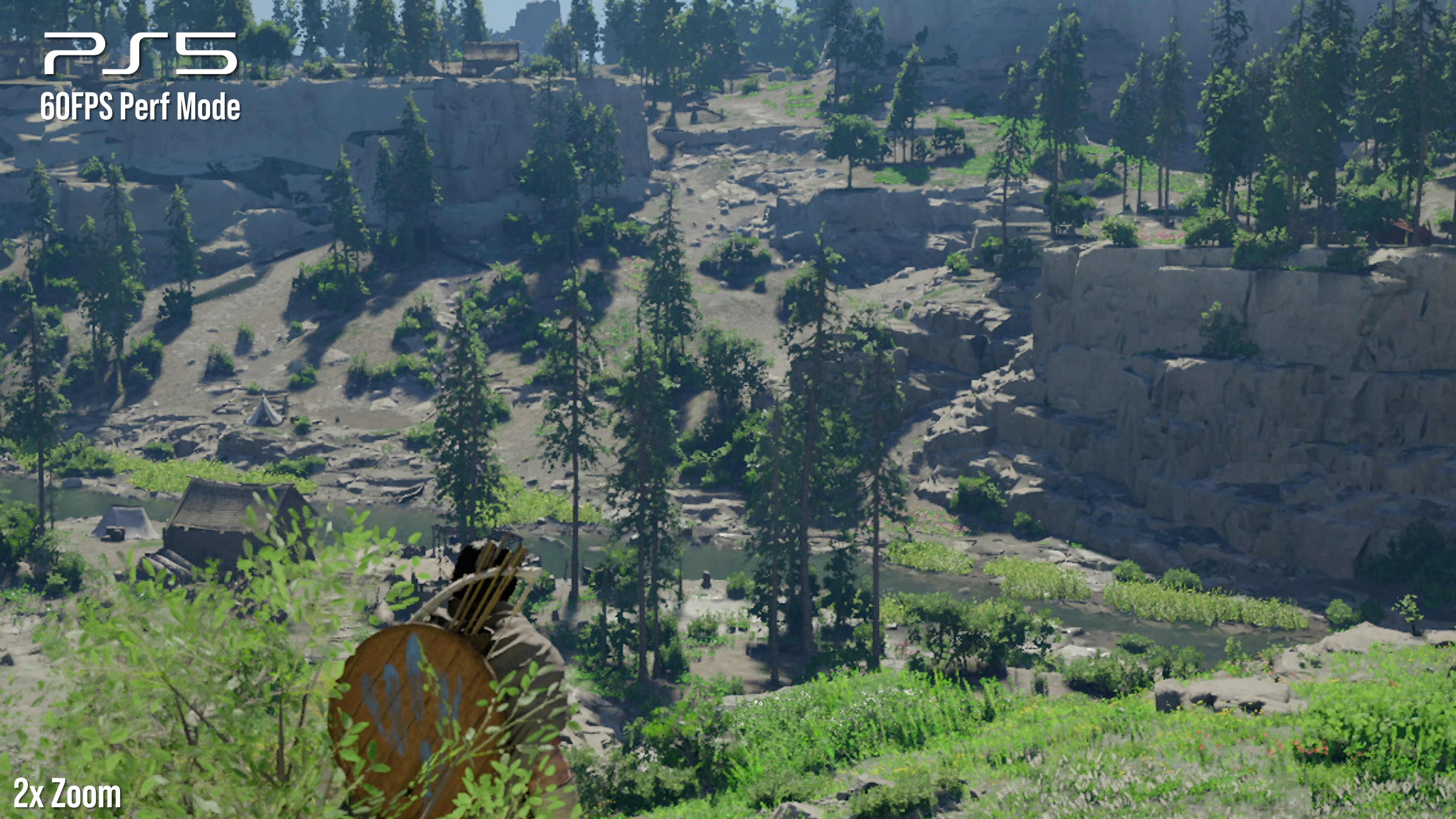
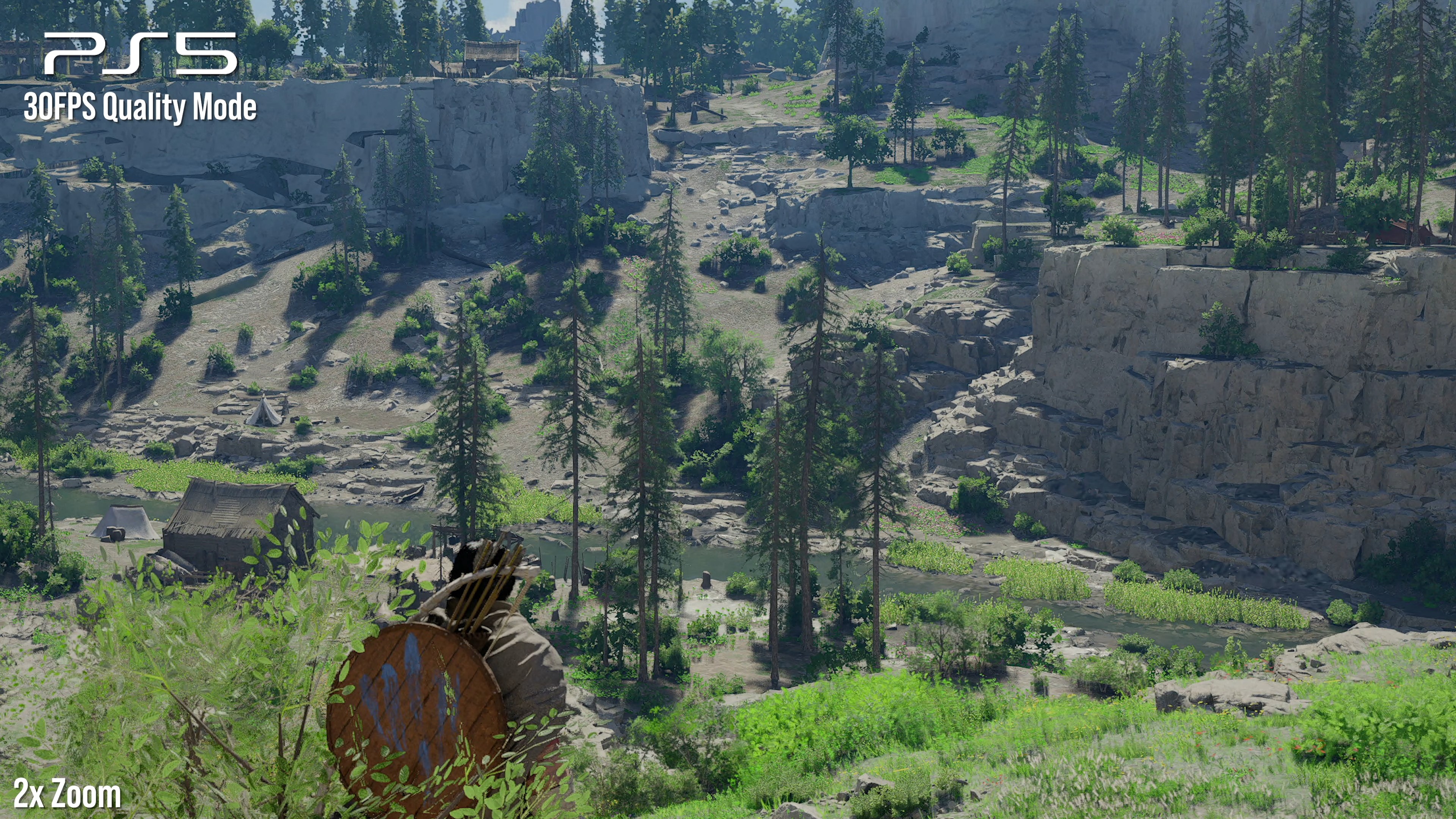
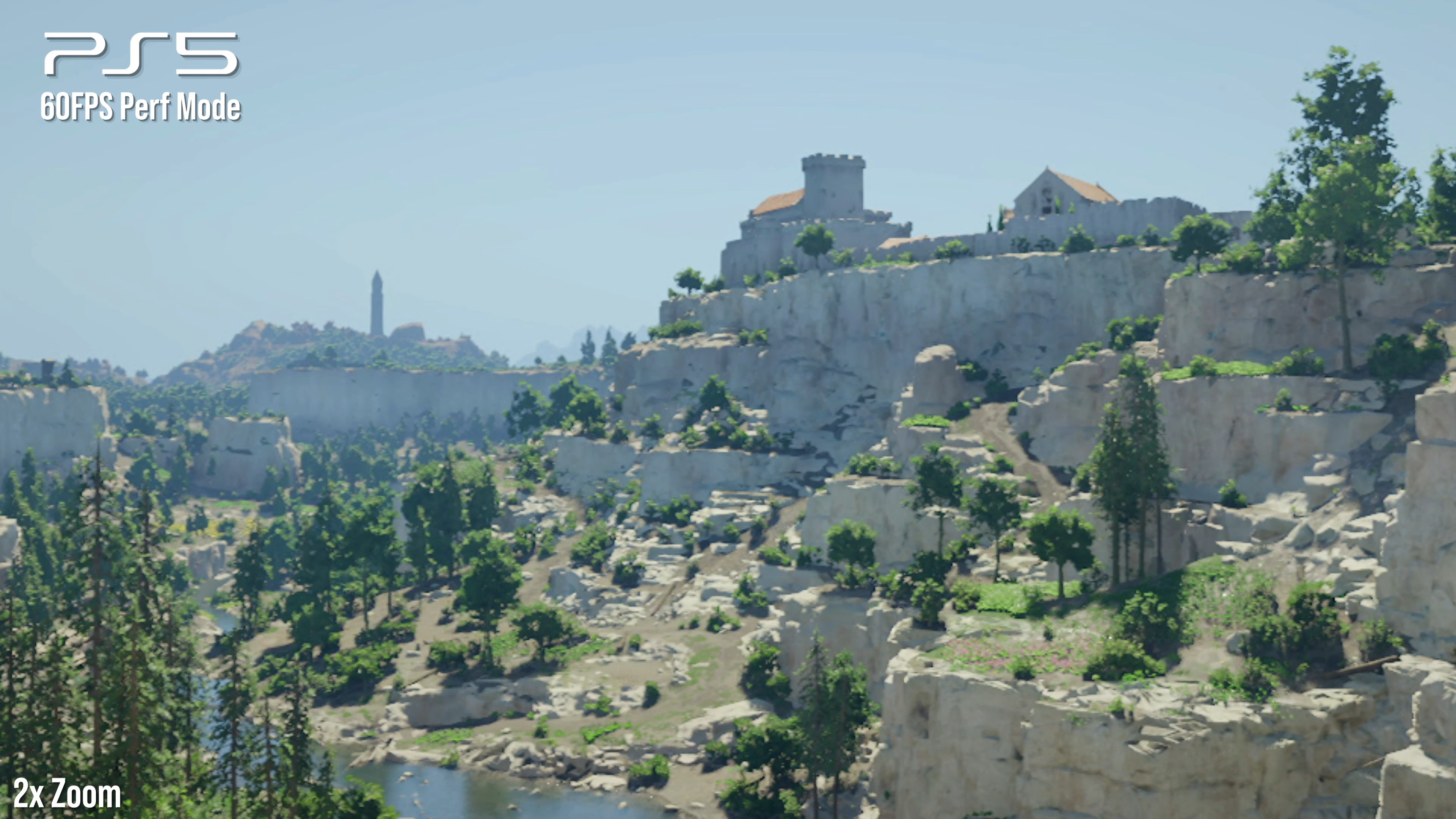
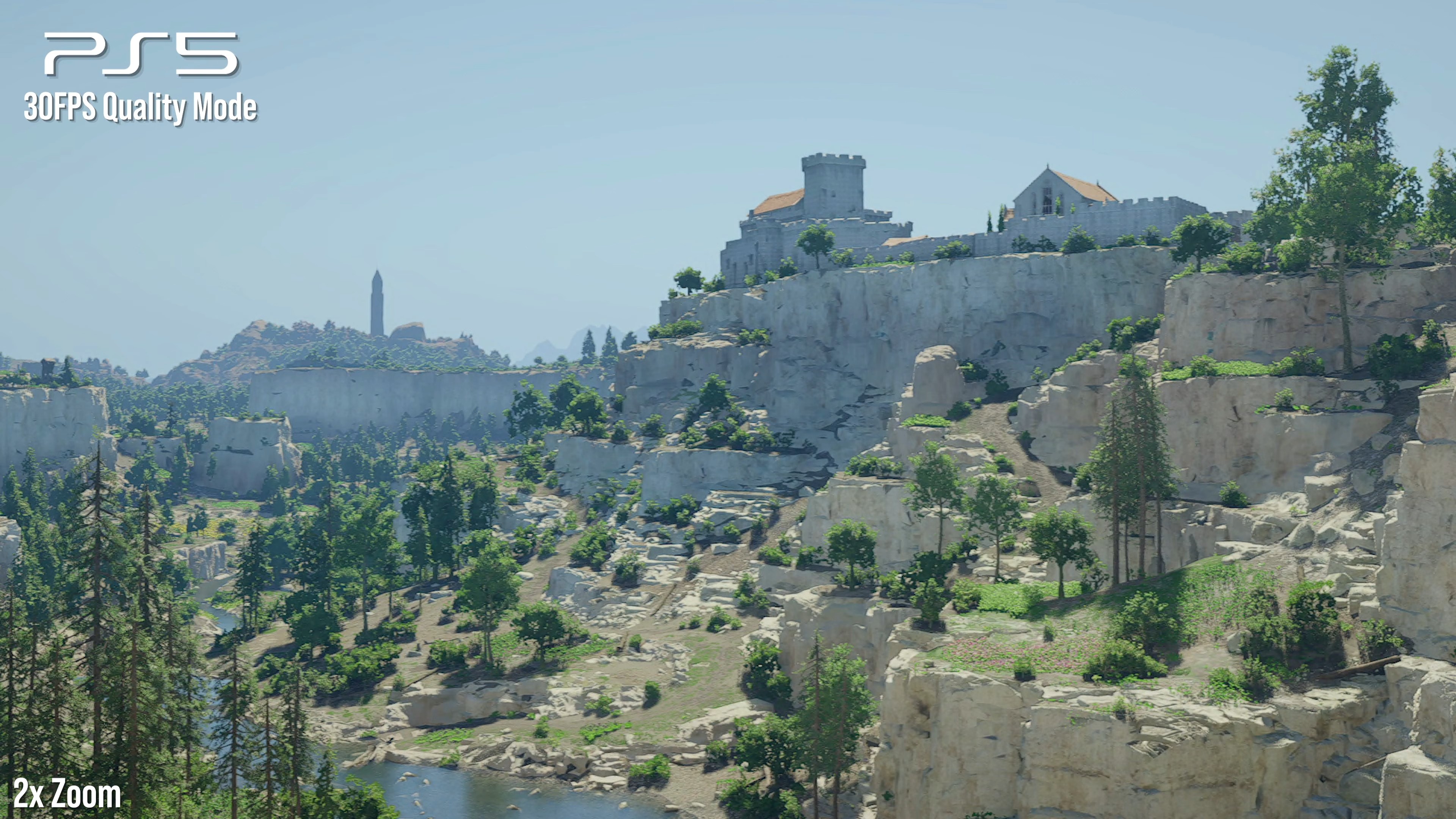
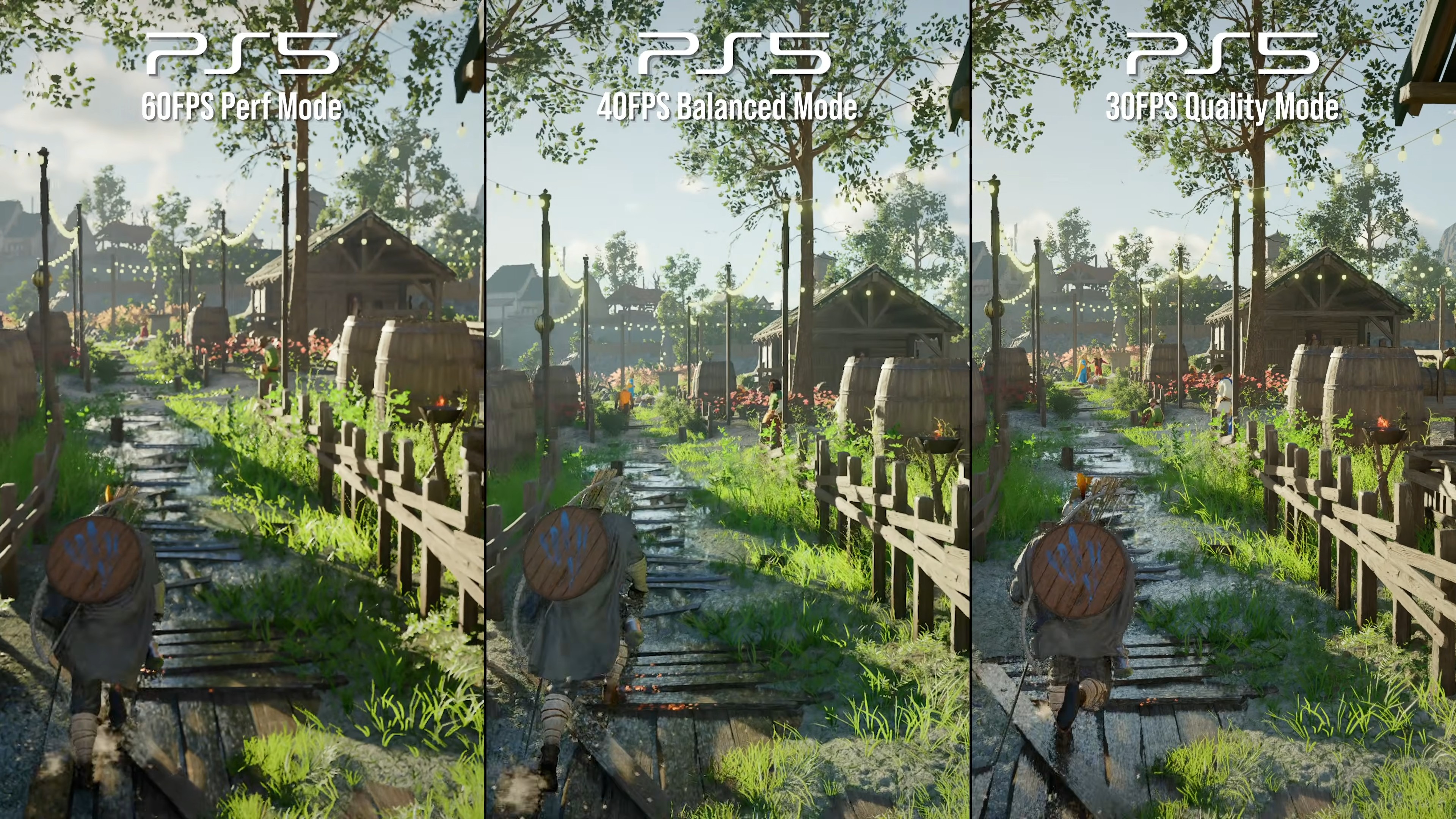
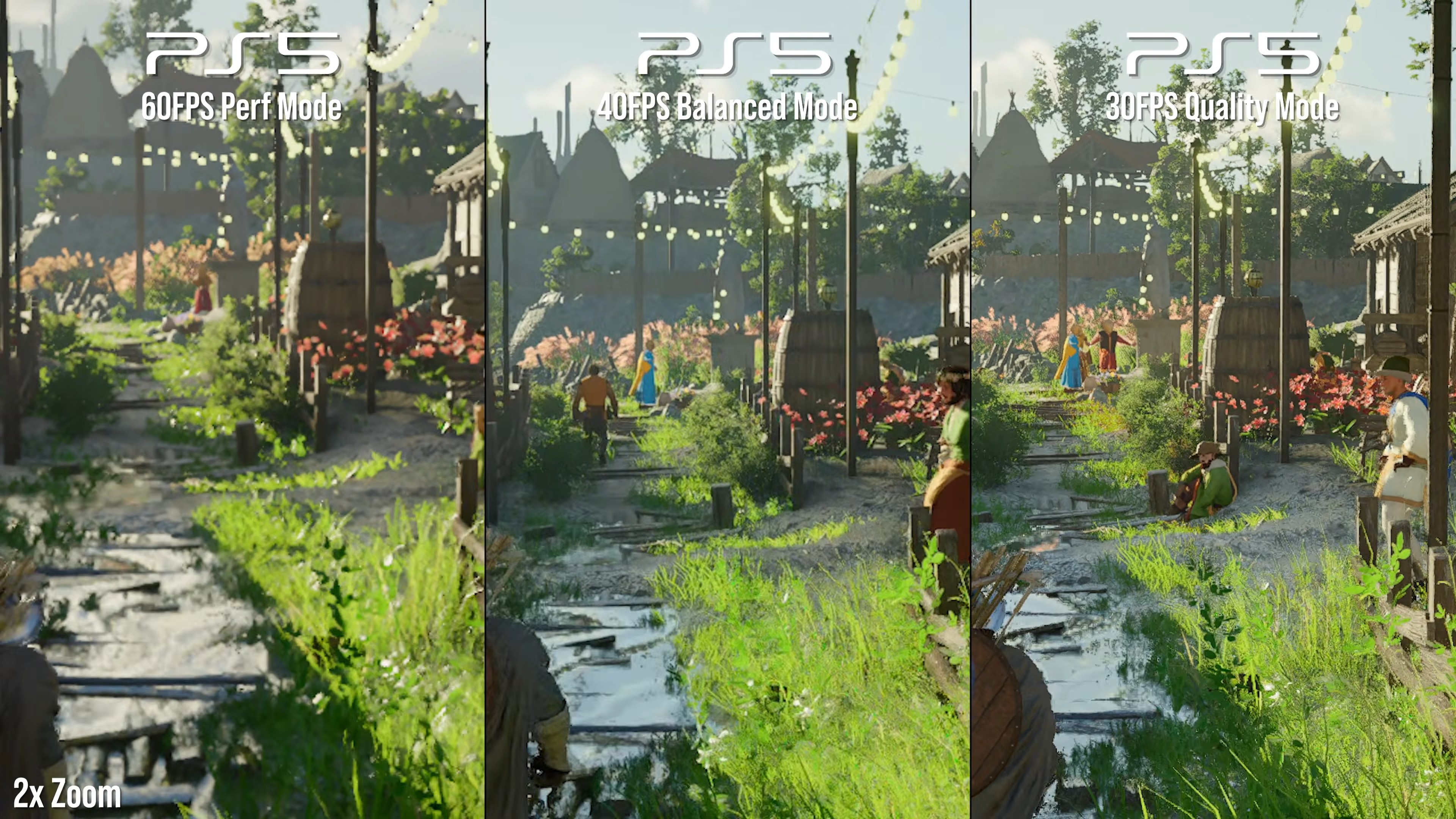
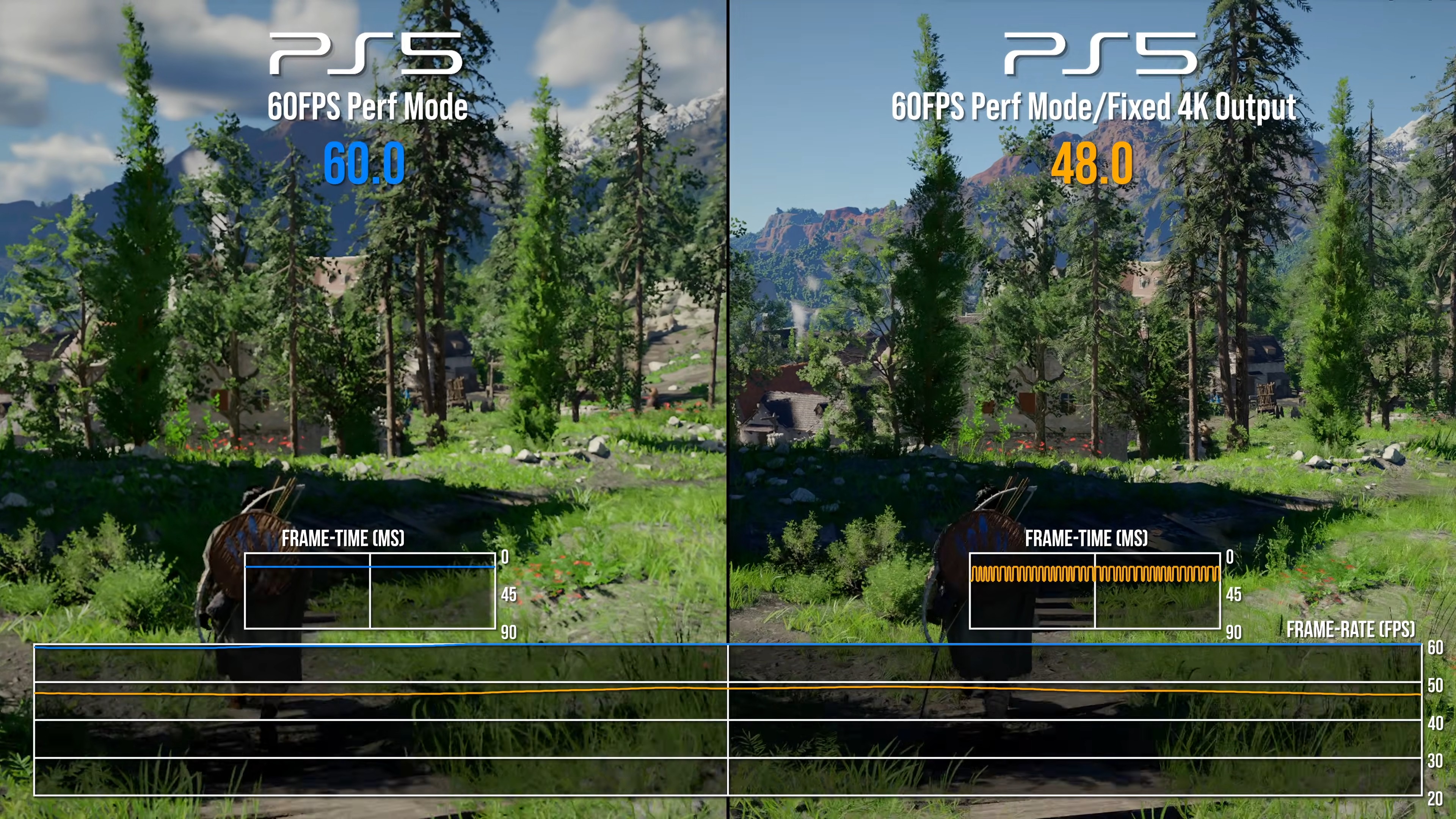
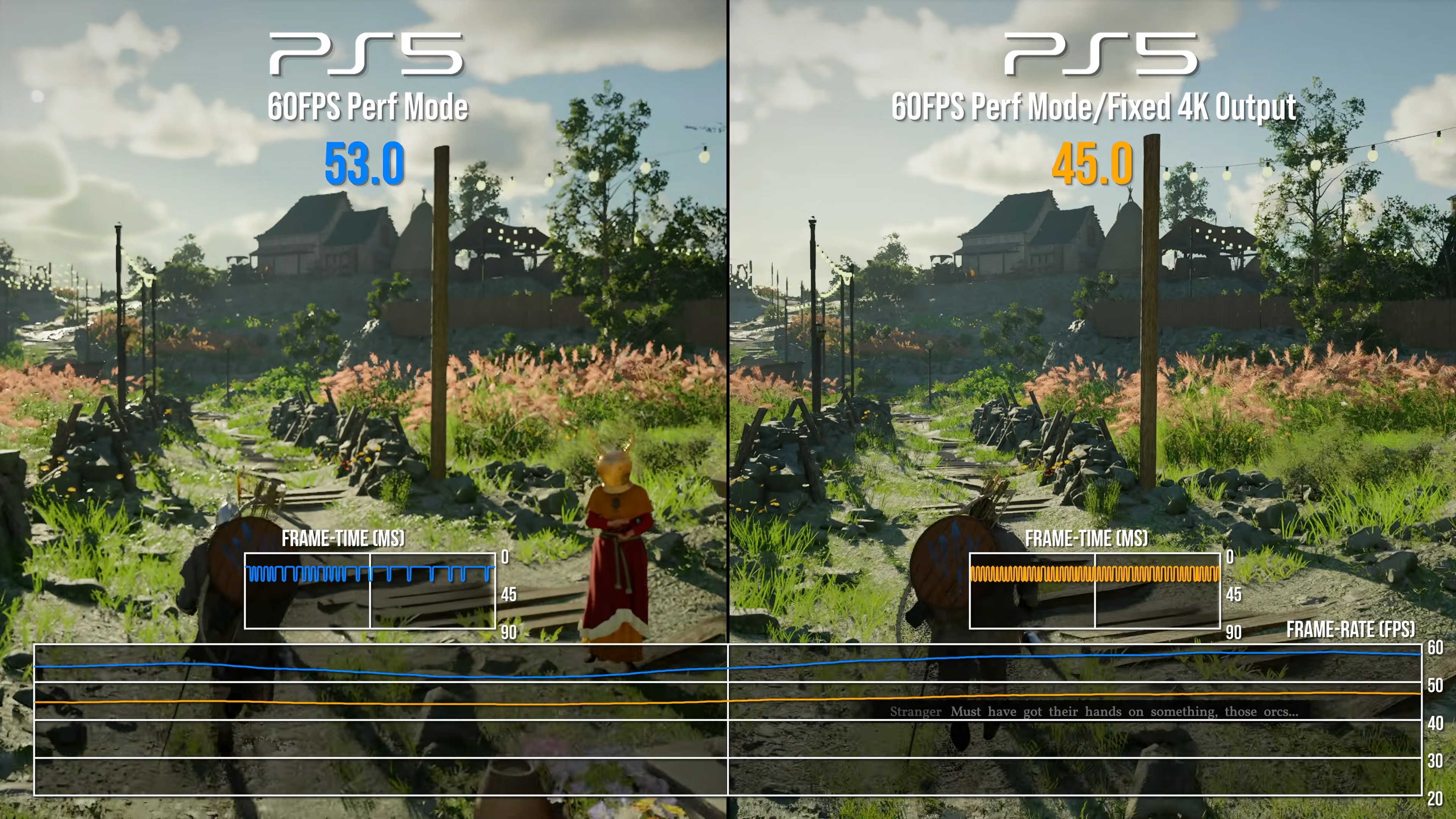
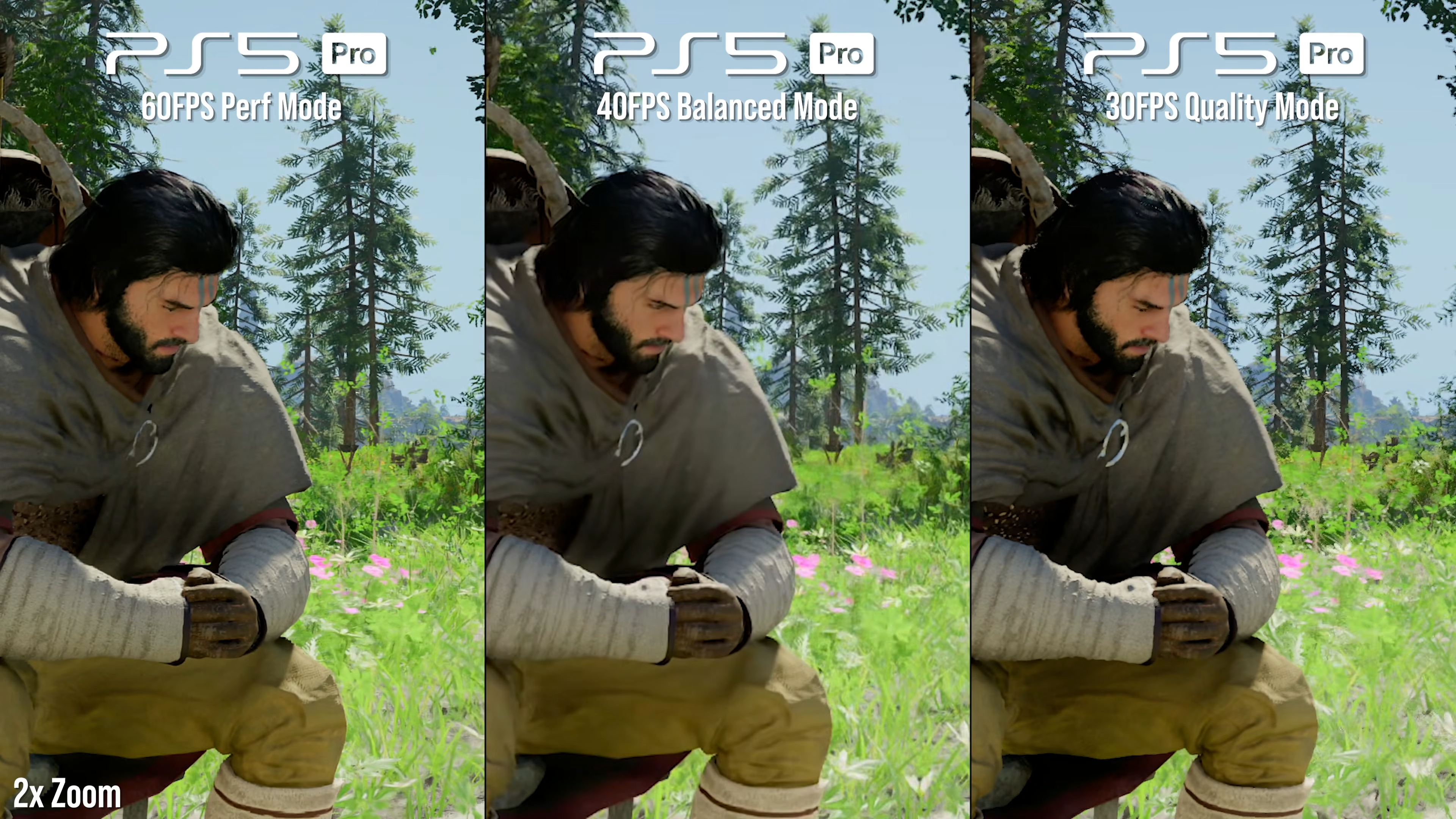
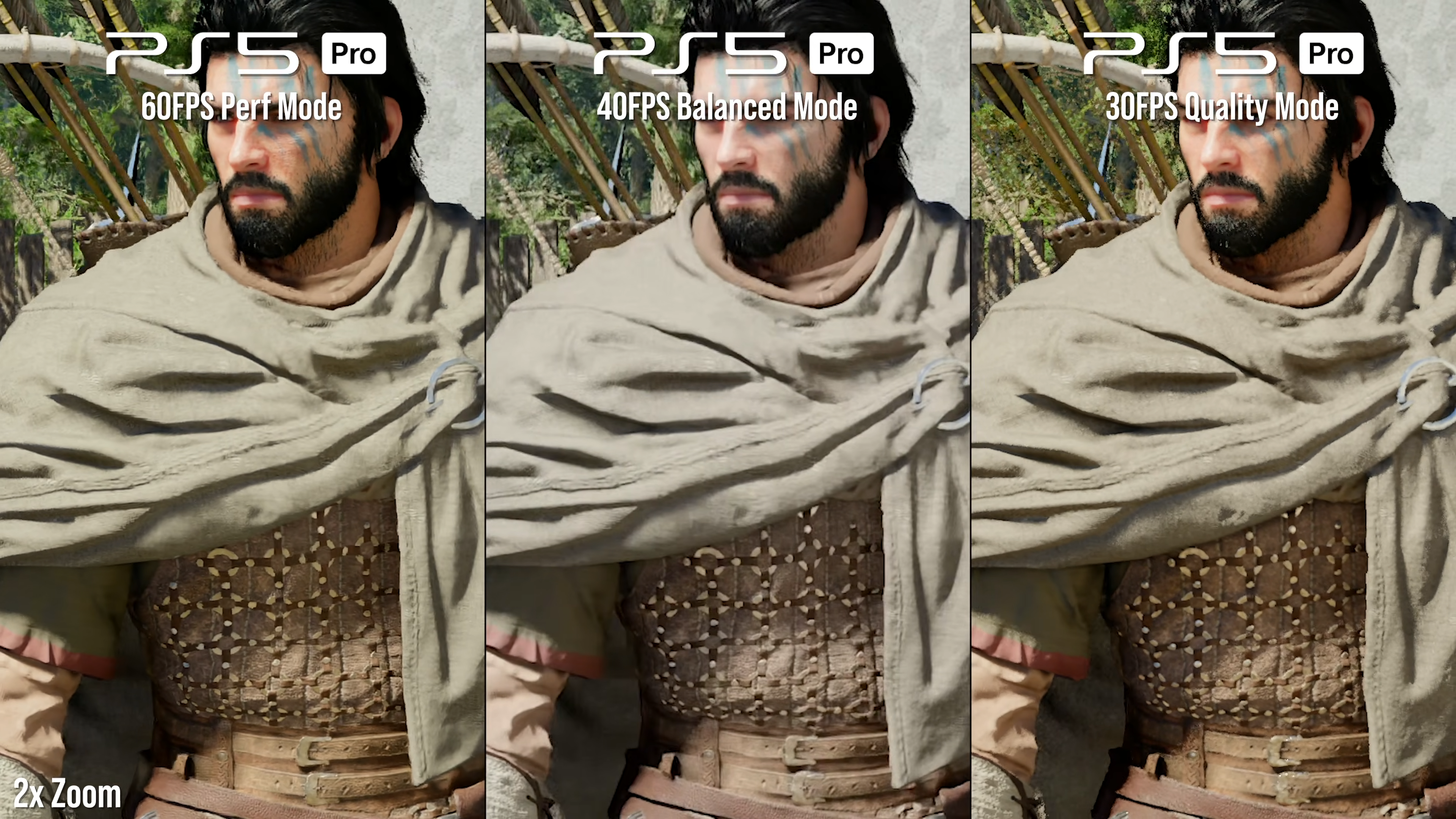
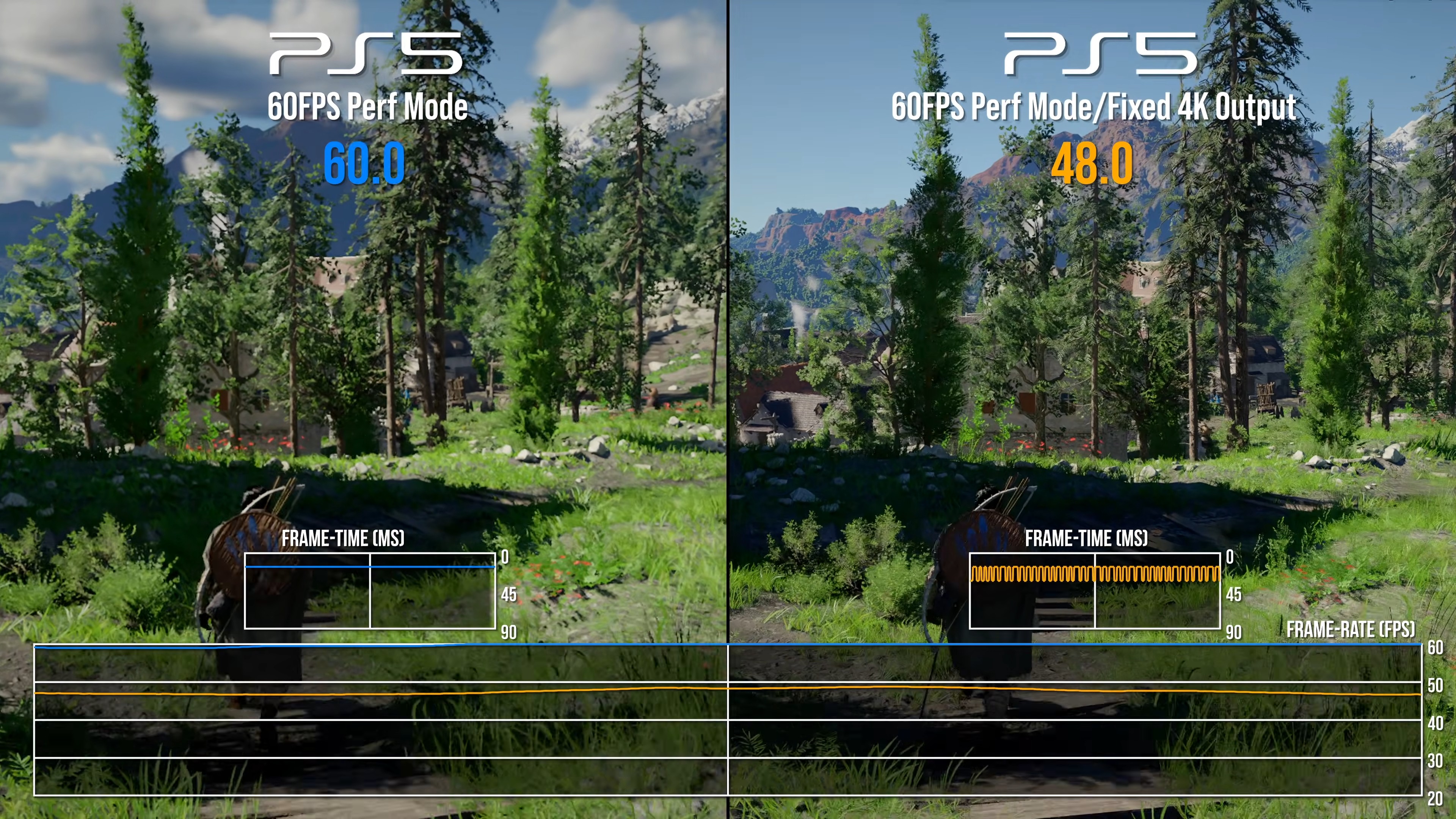
• Base PS5 Modes Compared and Fixed 4K Output Test: On base PS5, three primary modes are available. Performance mode renders natively at approximately 1080p (with optional fixed 4K output toggle enabling FSR3 upscaling to 4K); it targets 60 fps but frequently drops to the mid-40s or below 48 fps in CPU-heavy scenarios such as NPC crowds or specific areas like Bug Hill. Balanced mode uses native ~1280p–1296p with FSR3 upscaling to 4K and targets 40 fps (or locked 30 fps on 60 Hz displays). Quality mode employs native ~1440p with FSR3 to 4K, targeting 30 fps while enabling higher presets for ray tracing, lighting, and model quality. Textures and shadows appear solid, but water exhibits shimmering, FSR3 introduces ghosting, and foliage/water quality remains fixed at medium across modes. No single mode avoids compromises in stability or sharpness.
• The 30/40 FPS Mode Advantage: Lower target modes (30/40 fps) deliver improved visual consistency and reduced fluctuations compared to the 60 fps performance mode. Variable Refresh Rate (VRR) support mitigates tearing and stuttering effectively. The balanced 30 fps cap option provides a practical compromise with retained resolution and upscaling settings, minimizing noticeable frame drops while preserving detail levels.
• PS5 Pro Visual Upgrades: The PS5 Pro benefits from enhanced GPU power and Sony's PSSR upscaling (first-generation version in the tested build). Performance mode renders natively at 1080p with PSSR to 4K and near-quality settings (high ray tracing/lighting presets, medium model/post-processing). Balanced mode uses native 1440p with PSSR to 4K and higher ultra settings. Quality mode achieves native 4K with no upscaling and ultra ray tracing/lighting, though post-processing can soften the image. Overall, textures, shadows, and environmental detail appear sharper and more stable than on base PS5, with dynamic ray-traced global illumination and reflections active across modes. Foliage and water quality stay at medium.
• Base PS5 Frame-Rate Tests: Frame rates on base hardware show significant variability due to CPU bottlenecks. Performance mode ranges from 50–60 fps in lighter areas to mid-40s (or lower) in dense scenes; with VSync off and 120 Hz, peaks reach 65–70 fps but still dip sharply in heavy encounters. Balanced mode struggles around 35 fps in battles, while Quality mode maintains closer to 30 fps but drops into the mid-20s during water interactions or intense sequences. Image quality includes blotchy shadows and ghosting artifacts from FSR3.
• PS5 Pro Frame-Rate Tests: The PS5 Pro demonstrates markedly improved stability thanks to additional GPU resources. Performance mode largely holds 50–60 fps (with peaks exceeding 100 fps when VSync is disabled on 120 Hz displays) and offers roughly 10 fps gains over base PS5 in non-CPU-limited areas, though heavy scenes like Bug Hill still drop to around 30 fps. Balanced mode provides the tightest lock near 40 fps (often mid-50s in practice). Quality mode frequently falls below 30 fps in demanding sections. CPU limitations persist in crowded areas, but overall stuttering is minimized and flexibility is greater.
• Verdict: The base PS5 delivers playable experiences with VRR assistance and balanced options, yet suffers from inconsistent performance and upscaling artifacts. The PS5 Pro offers superior visual fidelity through PSSR, higher detail presets, and more reliable frame rates, making it the preferred platform despite shared CPU constraints in extreme scenarios.

Last edited: